

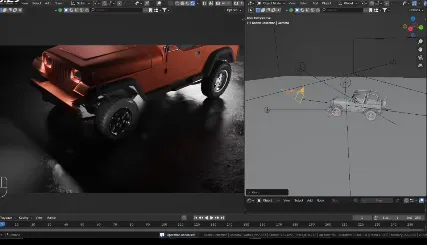
Stop wasting time manually setting constraints or rotating the camera to frame an object. With Target, Please!, a simple Shift+T instantly tracks any object in your scene. Fast, efficient, and hassle-free.
Key Features
Instant tracking – Select an object, press Shift+T, and it’s done.
Works with any object – Cameras, lights, meshes, empties and more.
Advanced options with Ctrl+Shift+T – Customize tracking axes, alignment, and constraint behavior through a simple UI.
Live tracking or final application – Keep a dynamic target or apply transformations permanently.
Customizable shortcuts – Adjust the hotkeys in the add-on preferences to fit your workflow.
Free – A professional tool available at no cost.
How It Works
Select one or multiple objects.
Press Shift+T for instant tracking.
Use Ctrl+Shift+T to adjust advanced settings.
Confirm your choice – either keep live tracking or apply the transformation permanently.
Perfect for animation, scene setup, camera placement etc.
Made for Blender 4.2+
Filename:Target Please v1-0 vfxMed.zip – 3 KB
USE IDM FOR FASTER DOWNLOAD.
ONLY USE BRAVE BROWSER TO DOWNLOAD WITHOUT ADS AND QUICKLY!