


MarginNote is a powerful reading tool for learners. Whether you are a student, a teacher, a researcher, a lawyer, or someone with a curious mind to learn, MarginNote can help you quickly organize, study and manage large volumes of PDFs and EPUBs. All-in-one-learning app enables you to highlight PDF and EPUB, take notes, create a mind map, review flashcards, and save from switching endlessly between different Apps.
- macOS 10.11 or later, 64-bit
Annotating and NoteTaking:
- Support text highlight and rectangular highlight;
- Add notes directly at the page margin; the note editing area will not overlap with the book content at all;
- Text, voice, picture, sketching, and many other forms of comments in a one;
- Add hashtags to notes to facilitate the connection of notes;
Outline and Mindmap:
- Outline and Mindmap in one view;
- Create an Oan outline tree by swipe gestures;
- Multi-selection editing such as group, merge, clone, etc;
- Quick searching and filtering according to colors, hashtags, books.
Flashcard:
- Highlights and notes can be automatically turned into flashcards for review;
- Spaced repetition adopting the Anki-based algorithm;
- Switch to the linking book page at any time;
Import, Export, and Sync:
- Import webpages and notes from Evernote;
- Export flashcards to Anki;
- Export Outline to OmniOutliner;
- Export Mindmap to thoughts or MindManager;
- Export to Evernote;
- Export all the margin notes, MindManager, Outline, and related PDF/EPUB to a printable PDF;
- Sync books¬es with iCloud;
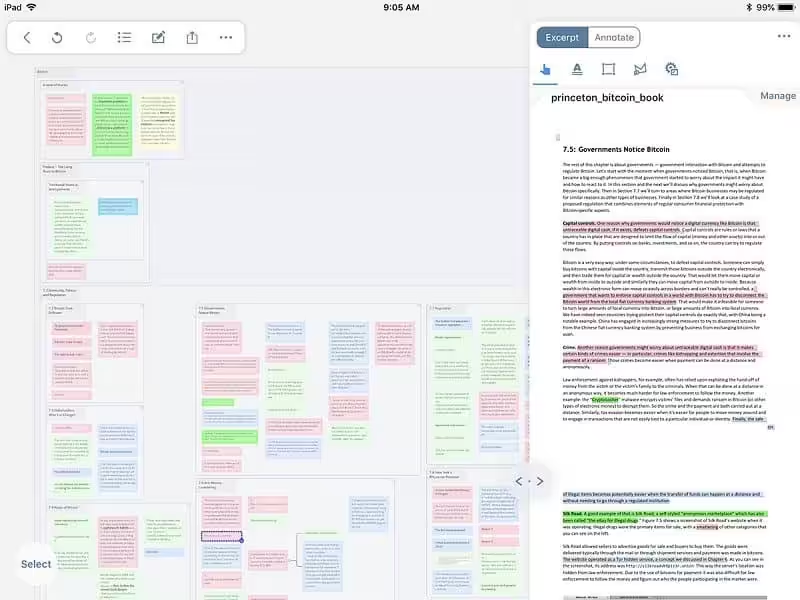
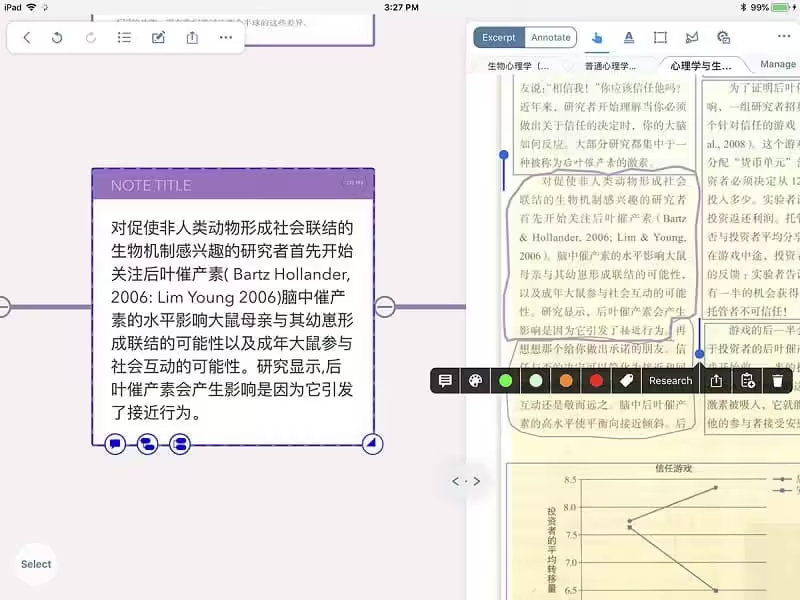
- Support search view to switch between split view and popover view.
- Support review mode can easily switch to document and study mode and switch back.
- Supporting newly added documents to automatically add to iCloud will prompt users when the size is too large.
How to Disable System Integrity Protection in MacOS: https://codelofi.com/how-to-disable-system-integrity-protection-in-macos/
How can i fix damaged app message on macOS Mojave: https://codelofi.com/how-can-i-fix-damaged-app-message-on-macos-mojave/