

Dropzone 4 makes it faster and easier to copy and move files, open applications, and share files with many different services. Dropzone is a unique and unforgettable app that’s like nothing you’ve ever used before. We’ve paid meticulous attention to every detail and built an app that seamlessly integrates with macOS.
- macOS 10.13 or later, 64-bit processor
- Open applications, and move and copy files faster than ever before.
- Shorten URLs quickly using the Tinyurl shortener. Just select a URL to shorten and press Ctrl+Option+Cmd+S and the shortened URL is automatically copied to the clipboard.
- AirDrop integration lets you drop files or folders from any app and share them with your other Macs over the network.
- Imgur integration lets you share images fast and get a link for pasting.
- Quickly resize and convert images between different sizes and formats.
- Upload files to Amazon S3 (Dropzone Pro feature).
- Upload files to your FTP server (Dropzone Pro feature).
- Upload files to your Google Drive (Dropzone Pro feature).
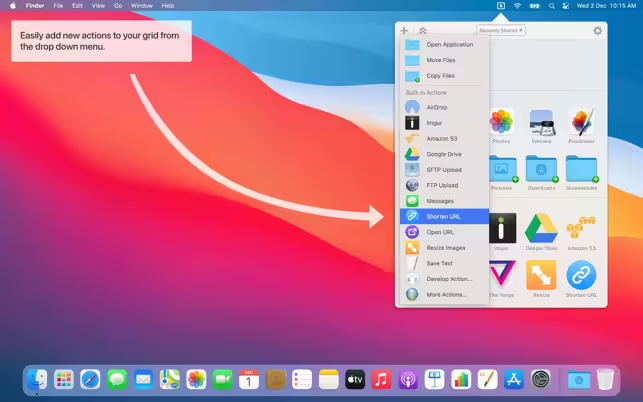
- Download and install add-on actions that let you upload to services like Google Drive, YouTube, and many others (Dropzone Pro feature).
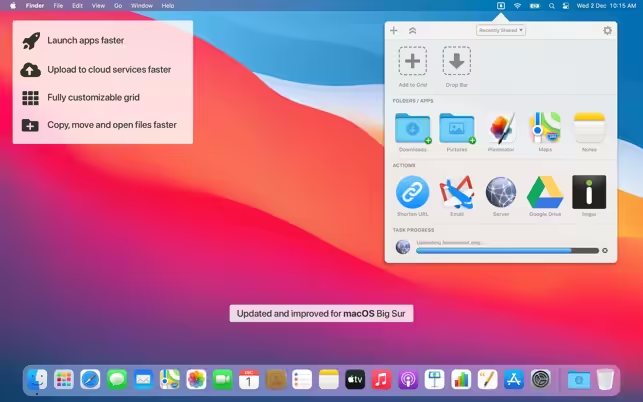
- A powerful multi-tasking engine allows you to run multiple tasks at once and track the progress of each one through the in-grid task status area.
- See how tasks are progressing at a glance in the animated menu item.
- Launch Dropzone actions with the newly added keyboard shortcuts feature (Dropzone Pro feature).
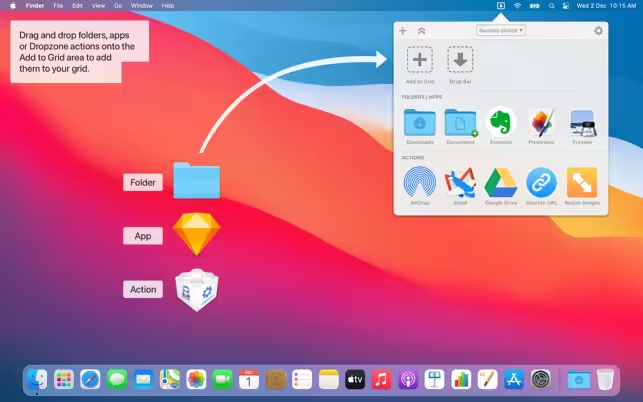
- Add applications, folders or actions to your grid easily by dragging and dropping them on the Add to Grid area.
- Develop your own actions using the updated and massively improved Ruby or Python API (Dropzone Pro feature).
- Dropzone 4 now fully supports macOS Big Sur.
- Added a new Rename & Copy Files action
- Rename & Move/Copy actions now have an option to open moved or copied files
- Bugfixes and improvements to Rename & Move
- Fixes issue with sharing to Dropzone from other apps
How to Disable System Integrity Protection in MacOS: https://codelofi.com/how-to-disable-system-integrity-protection-in-macos/
How can i fix damaged app message on macOS Mojave: https://codelofi.com/how-can-i-fix-damaged-app-message-on-macos-mojave/